
Swapping cryptocurrencies can be a nerve-wracking process, especially when security and privacy are non-negotiable. Trezor Suite addresses these concerns head-on by providing a streamlined and secure environment for crypto swaps directly from your hardware wallet. This visual guide takes you through how Trezor Suite makes swapping crypto both simple and robust, integrating the latest best practices in wallet security while keeping the user experience front and center.
Why Swap Crypto Inside Trezor Suite?
Most crypto holders know the risks of moving assets to centralized exchanges: counterparty risk, exposure of private keys, and potential for phishing. Trezor Suite eliminates these vectors by allowing users to swap coins without ever relinquishing control of their keys. The Swap feature is powered by Invity's network of vetted exchange providers, meaning users get access to competitive rates while their funds remain protected by Trezor’s hardware-level security.
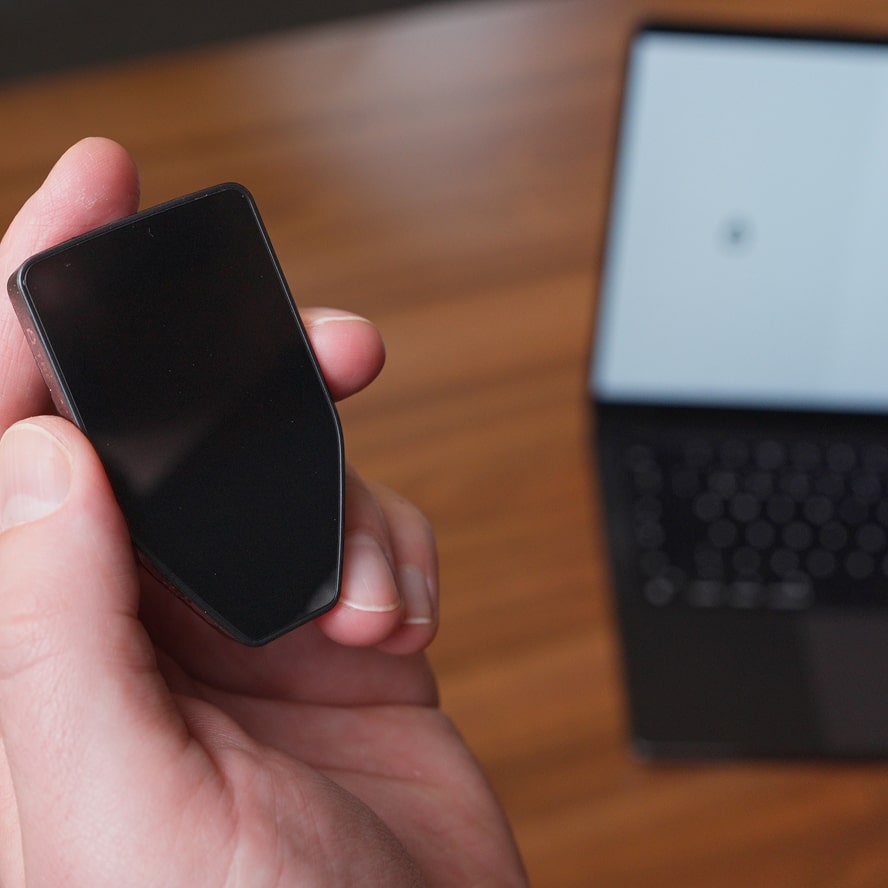
Unlike browser-based swaps or third-party platforms, every transaction in Trezor Suite requires physical confirmation on your hardware device. This ensures that even if your computer is compromised, unauthorized swaps are impossible without access to your physical Trezor.
Step-by-Step: How to Swap Crypto on Trezor Suite
The swapping process is intuitive even for beginners but maintains rigorous security protocols throughout:
Key Steps to Swap Crypto in Trezor Suite
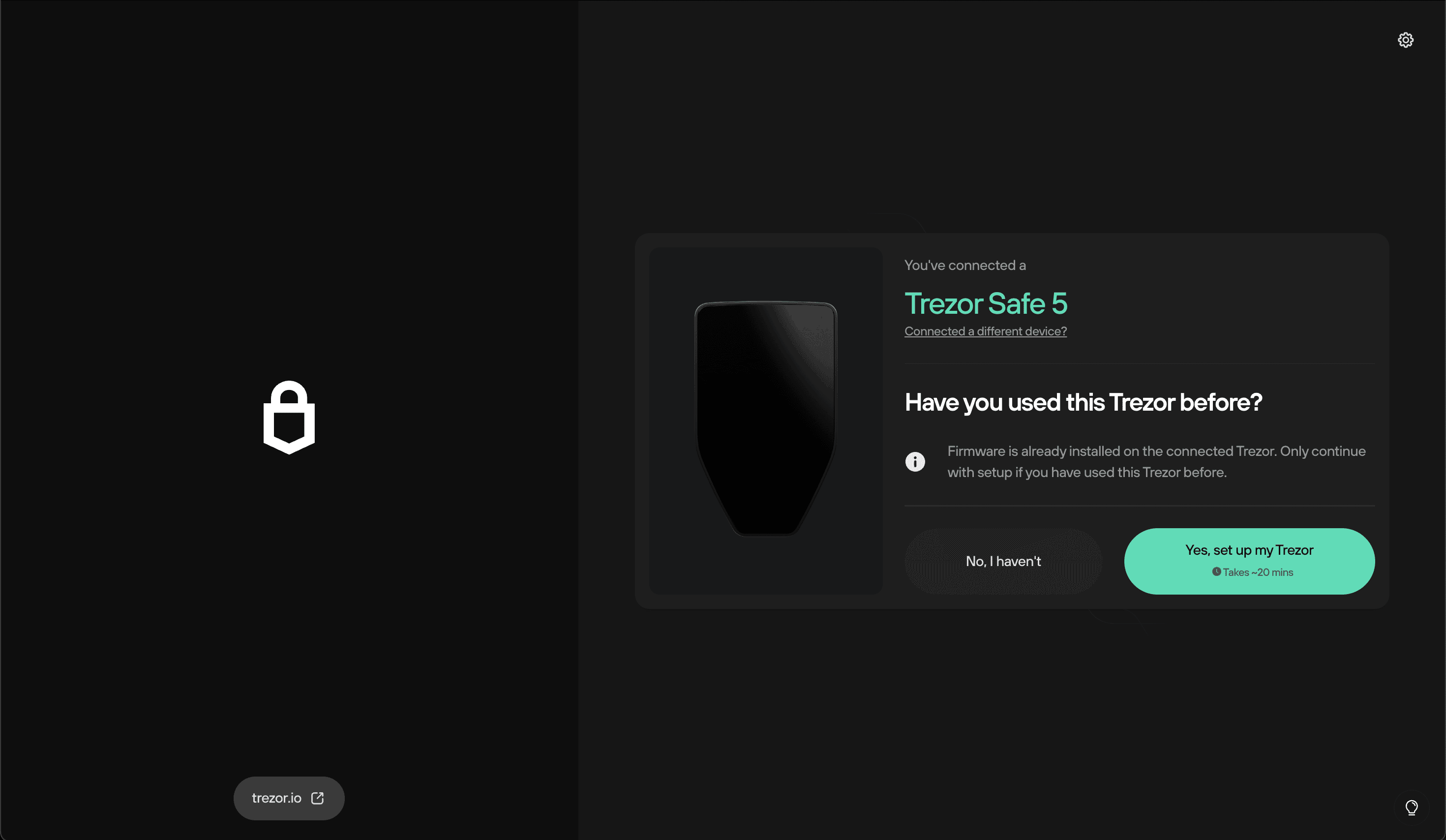
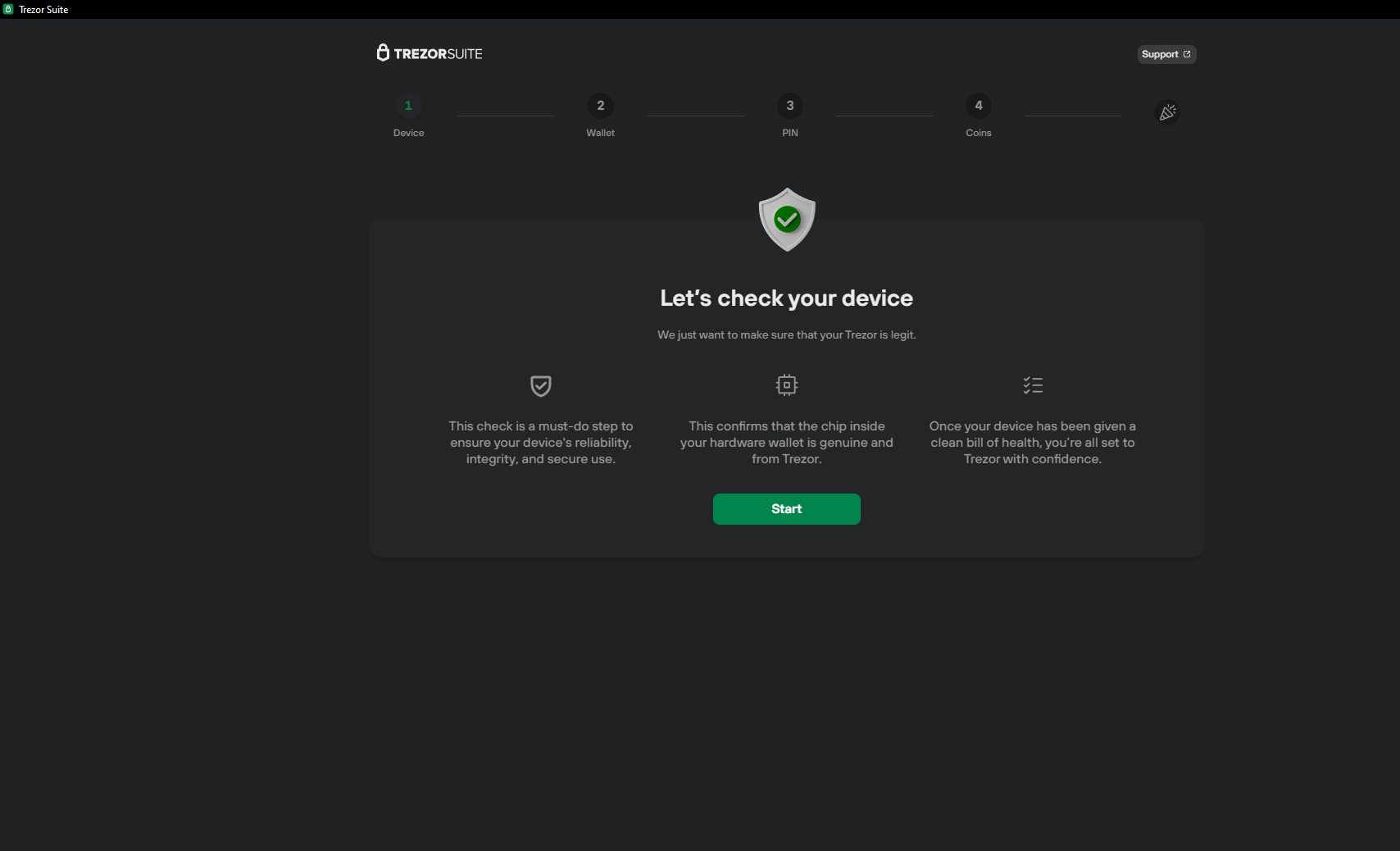
- Connect your Trezor hardware wallet to your computer and open Trezor Suite. Ensure your device firmware and the Suite app are up to date for optimal security.
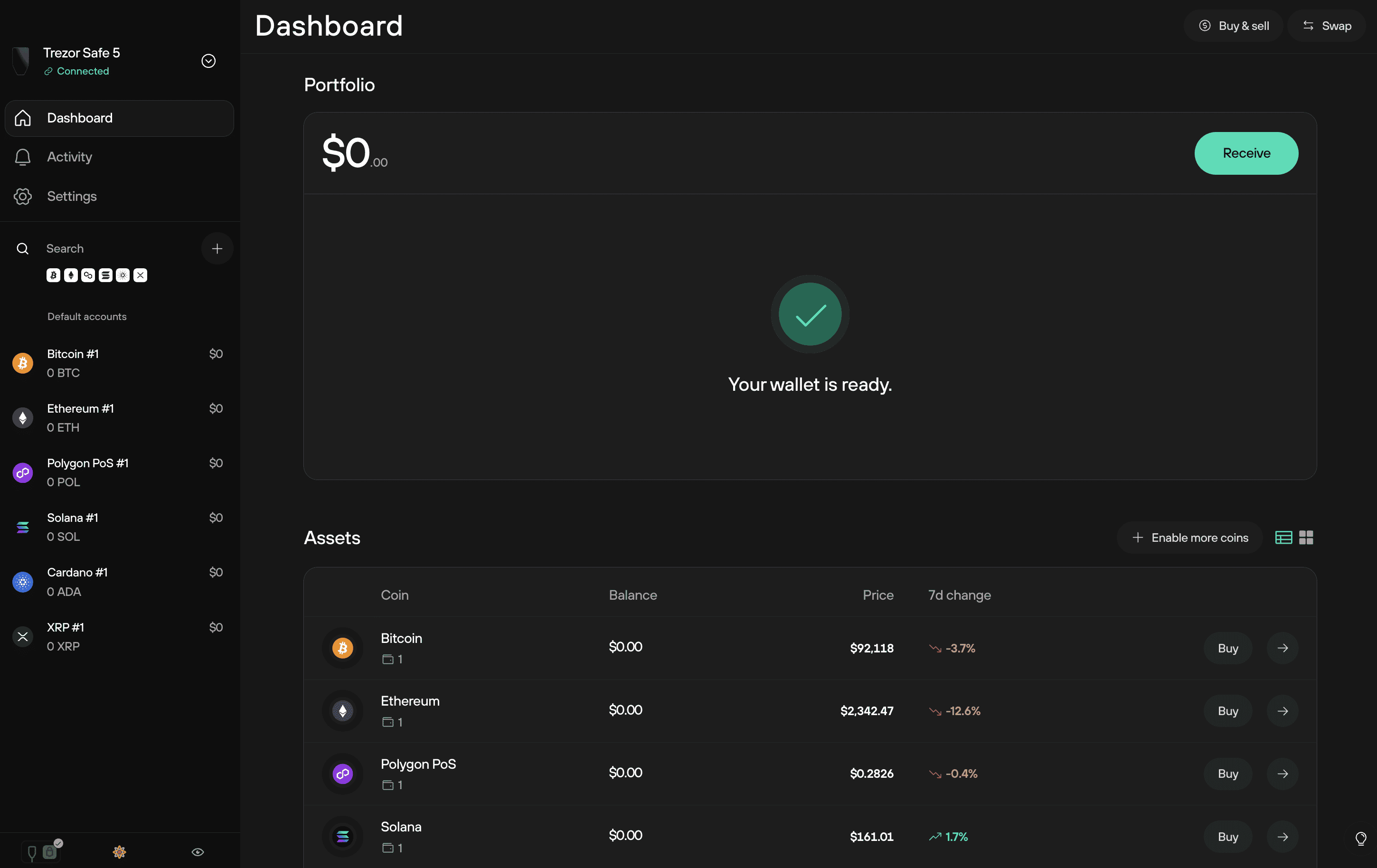
- Select the relevant cryptocurrency account in Trezor Suite from which you want to swap funds. Navigate to the Accounts page and choose the correct asset (e.g., Bitcoin, Ethereum).
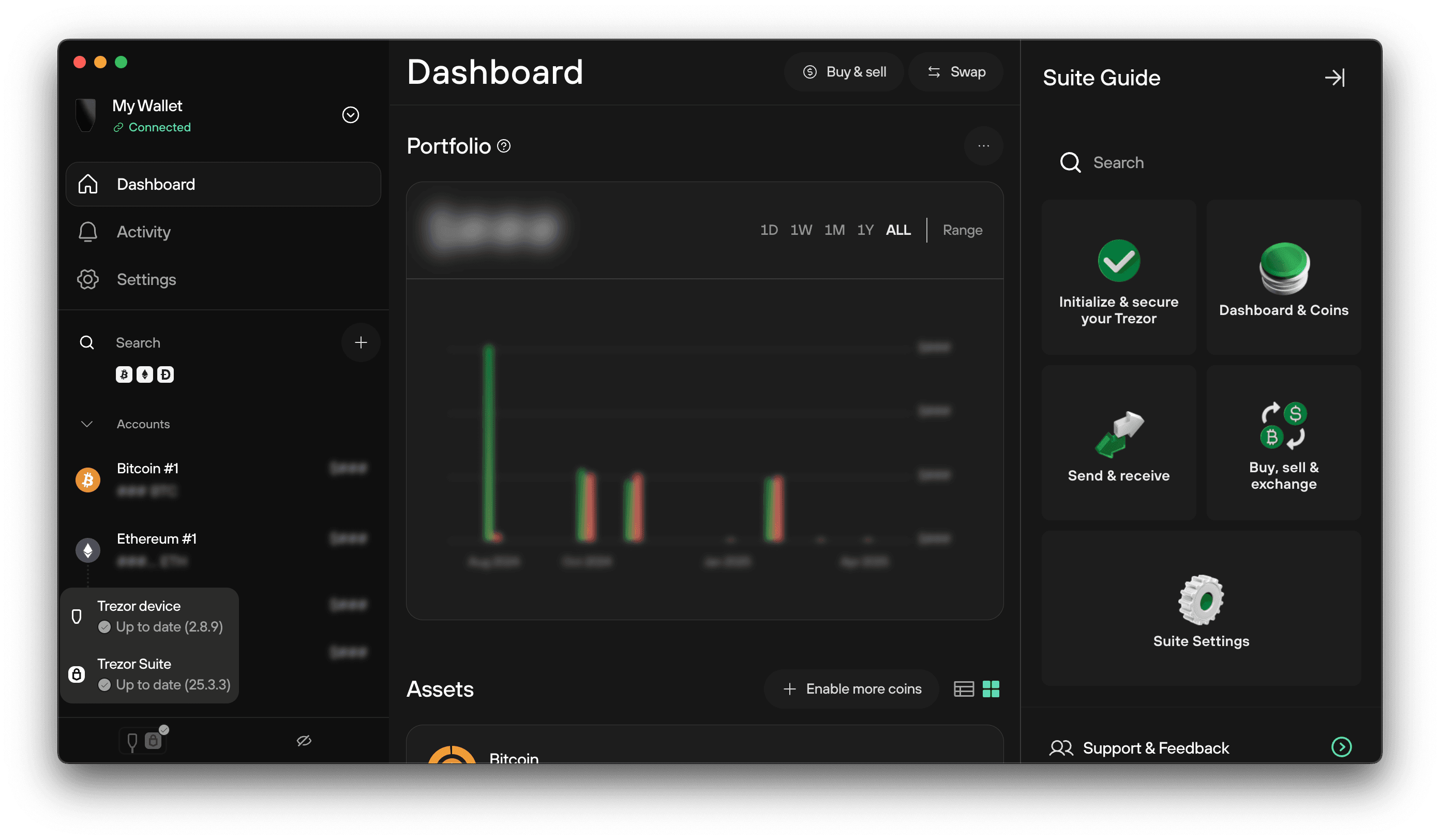
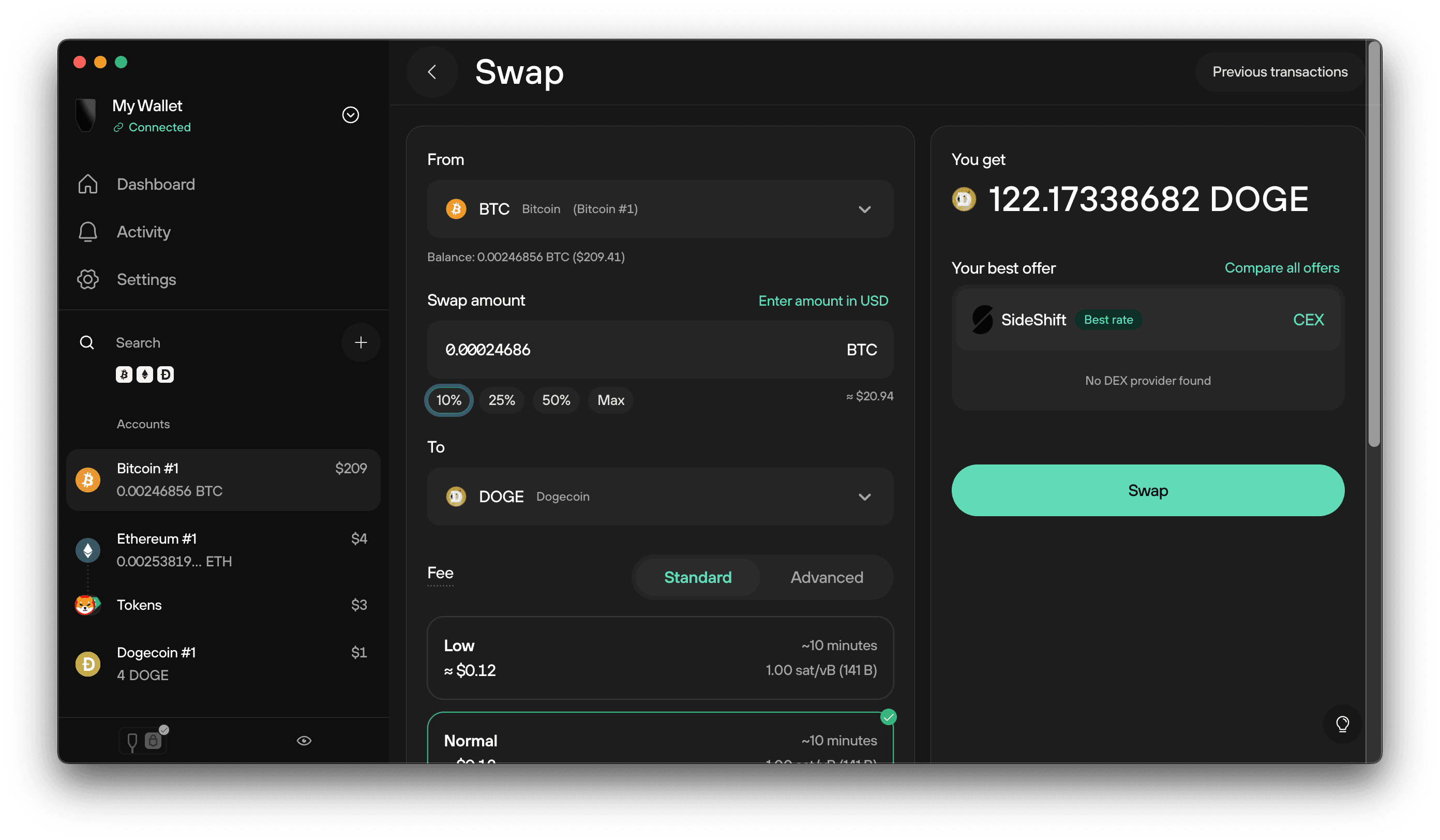
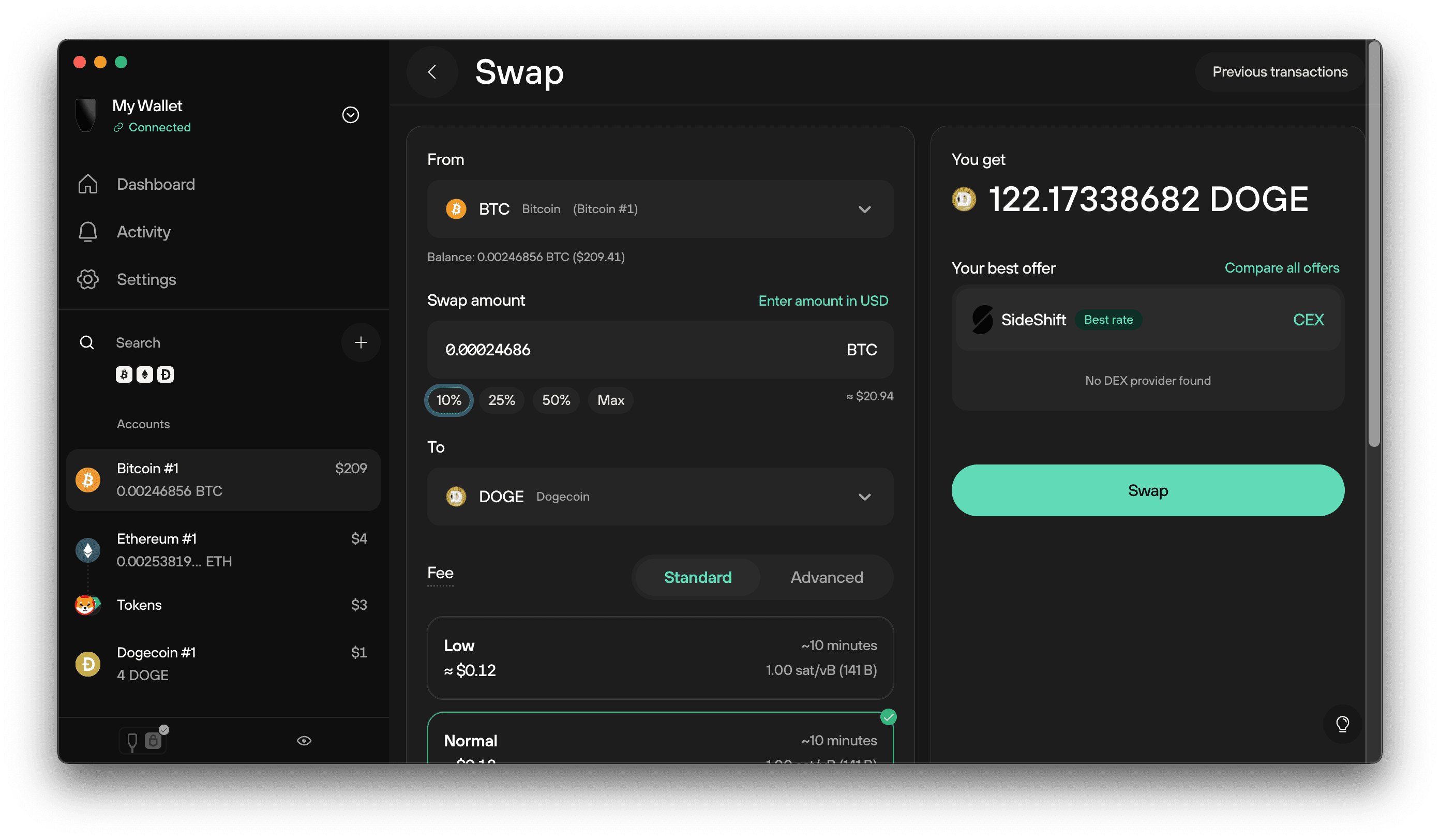
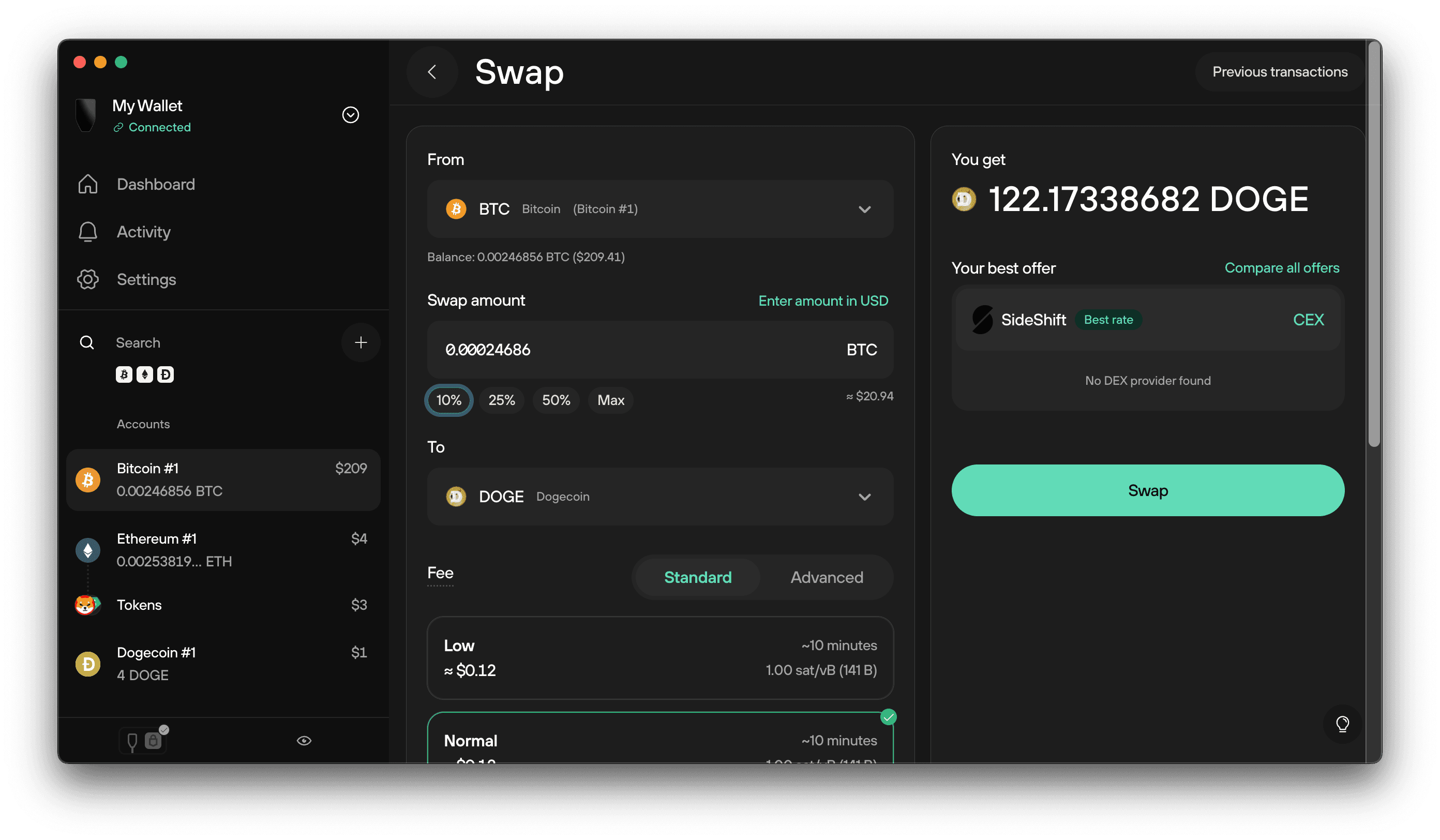
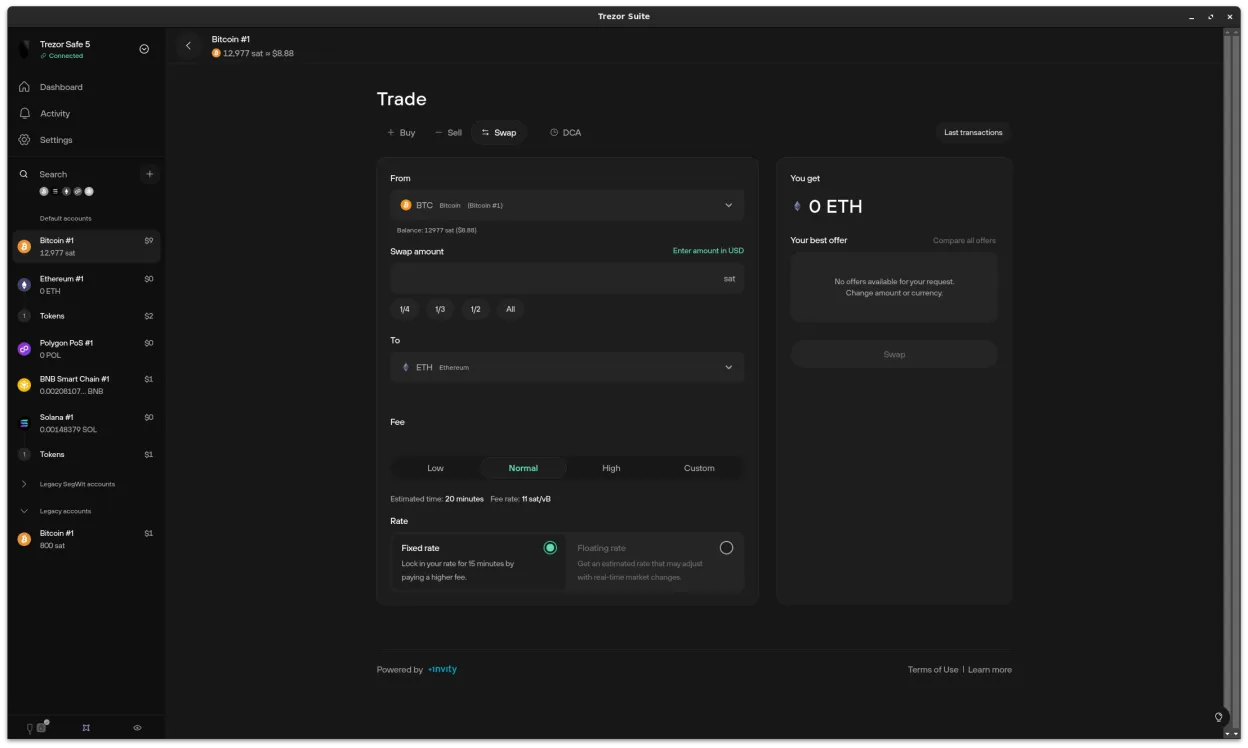
- Click the Swap button to access the Swap tab in the Trade section. This opens the integrated swapping interface powered by Invity and vetted exchange providers.
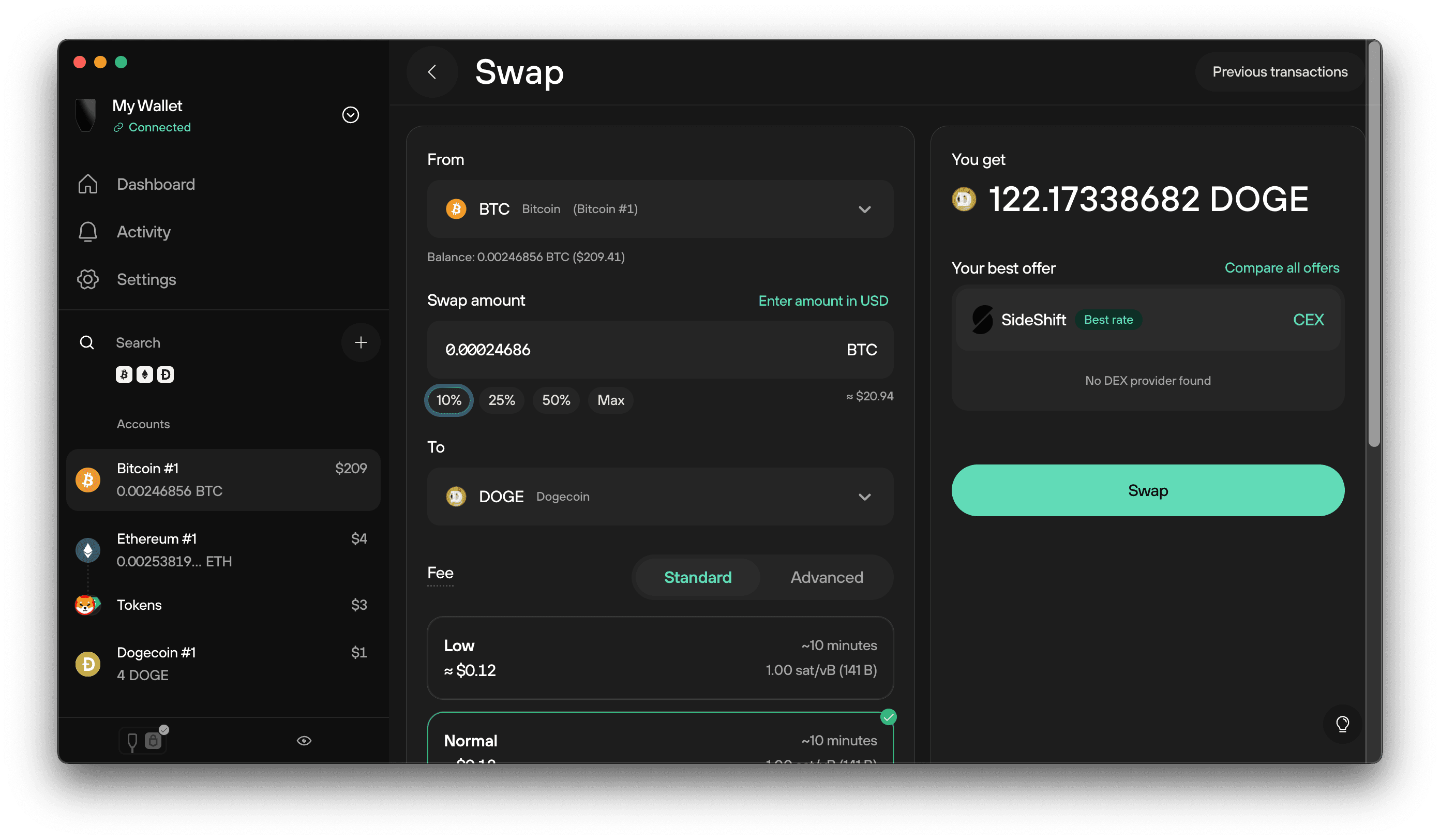
- Choose the cryptocurrencies you wish to swap from and to (e.g., swap Bitcoin to Ethereum). Enter the amount you want to convert.
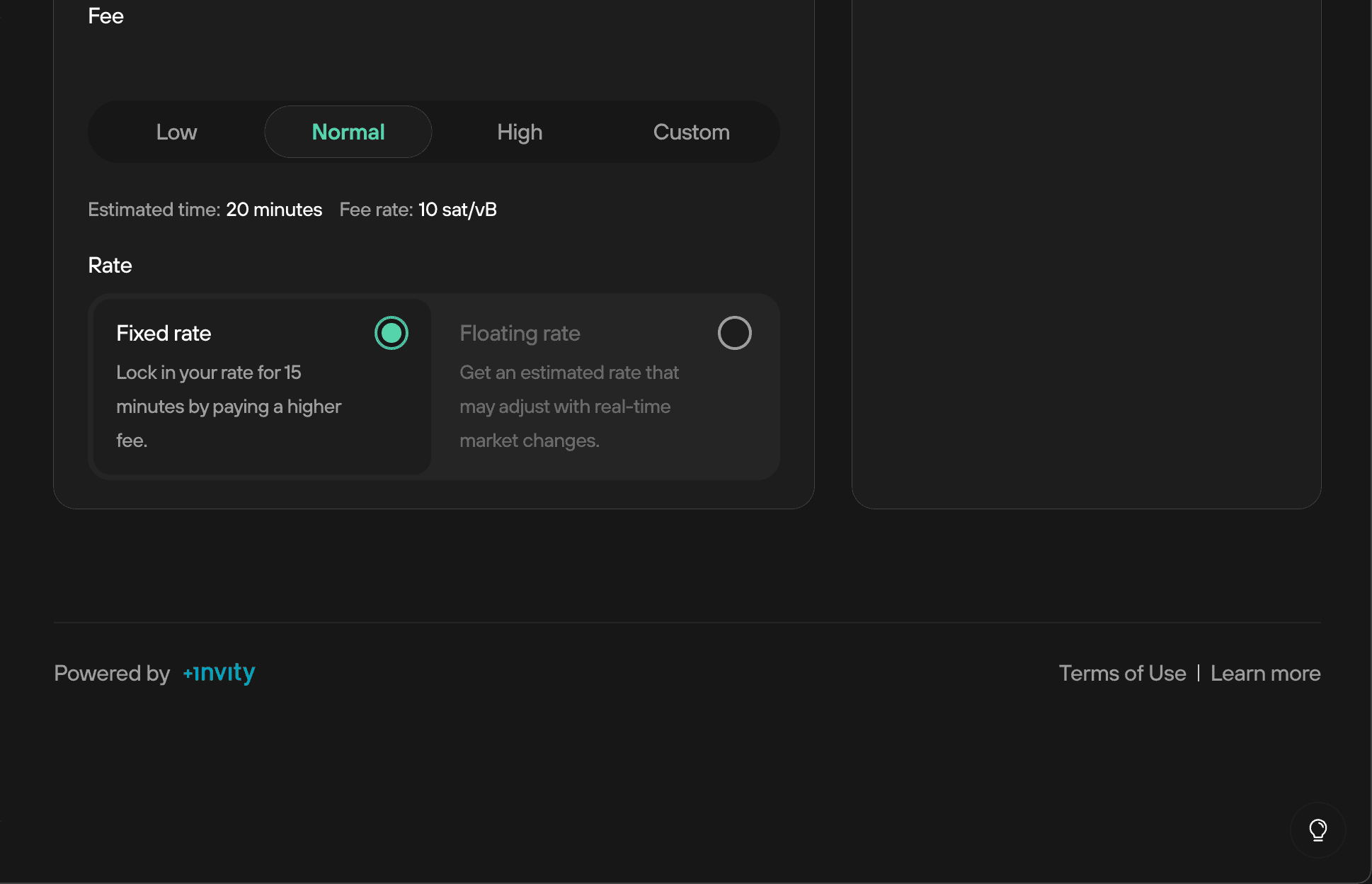
- Select your preferred exchange rate type: fixed (guaranteed rate) or floating (market rate at execution). Review the offered rates and provider details.
- Review the swap details, including fees, estimated amount to receive, and provider information. Confirm all details are correct before proceeding.
- Authorize the swap on your Trezor device. Physically confirm the transaction on your hardware wallet to ensure security—your private keys never leave the device.
- Track the transaction status within Trezor Suite. You can monitor progress and view completed swaps in your account transaction history.
1. Connect your Trezor device and unlock it via PIN or passphrase.
2. Select the account holding the cryptocurrency you wish to swap.
3. Click the gray Swap button to open the dedicated tab.
4. Choose your source and target cryptocurrencies, input amounts, and select between fixed or floating rates.
5. Review provider offers from Invity’s integrated partners.
6. Confirm all transaction details on your Trezor device, nothing proceeds without this step.
"Swapping inside Trezor Suite means I never have to trust an exchange with my coins again. "
Trezor Wallet Security Features That Set It Apart
Trezor’s approach goes beyond just cold storage, it’s about layered defense:
- Hardware Confirmation: Every swap must be approved on-device, blocking remote attackers.
- No Exposure of Private Keys: Your seed phrase stays offline at all times; swaps are signed locally.
- Open Source Transparency: Both firmware and software are auditable by anyone, no black boxes.
- Pivotal Privacy Tools: Built-in Tor integration and passphrase-protected hidden wallets minimize data leakage and enable plausible deniability.
User Experience: Visual Crypto Swap Tutorial
The interface is engineered for clarity, with each step visually guided so users always know what comes next. The side menu allows instant toggling between Buy, Sell, and Swap options, no need for multiple browser tabs or risky copy-pasting of addresses.
This hands-on approach demystifies asset conversion for both newcomers and seasoned traders who demand transparency at every click.
For users who value privacy, Trezor Suite’s Tor integration is a standout. Activating Tor routes your connection through an anonymized network, shielding your IP address and adding another layer of security when swapping or trading assets. Combined with the option to create passphrase-protected hidden wallets, you gain both operational security and plausible deniability, critical for those managing significant holdings or simply wanting peace of mind.
Comparing Trezor Suite Swaps to Browser-Based Platforms
Many browser-based swap platforms claim convenience, but they often fall short on security. With browser swaps, users typically have to trust third-party scripts and risk their private keys being exposed, even if only momentarily. In contrast, Trezor Suite never exposes your seed or private keys outside the device. All sensitive operations are isolated and require physical confirmation, dramatically reducing attack surfaces.
Another advantage: Trezor Suite aggregates offers from multiple exchange providers via Invity, letting you compare rates without bouncing between tabs or re-entering wallet addresses. This not only saves time but also reduces the risk of copy-paste errors that could lead to lost funds.
Top Reasons to Use Trezor Suite for Crypto Swaps
- Hardware-Level Security: All swap transactions in Trezor Suite must be confirmed on your Trezor hardware wallet, ensuring your private keys never leave the device and are never exposed to the internet or third-party platforms.
- Integrated with Vetted Providers: Trezor Suite's Swap feature connects you with Invity's network of reputable exchange providers, minimizing counterparty risk compared to using unknown browser-based services.
- Direct, In-App Swapping: Swap cryptocurrencies directly within the Trezor Suite application without needing to visit external websites, reducing phishing risks and simplifying the user experience.
- Enhanced Privacy Options: Features like Tor integration and passphrase-protected hidden wallets help protect your identity and transaction details during swaps—capabilities rarely found in browser-based crypto swap platforms.
- Open-Source Transparency: Trezor Suite is fully open-source, allowing the community to audit the code for vulnerabilities—unlike many closed-source browser-based swap services.
- Flexible Swap Rates: Choose between fixed or floating exchange rates for your swaps, giving you more control over your trades compared to the limited options on many browser-based platforms.
Frequently Asked Questions About Swapping in Trezor Suite
Community feedback consistently highlights the platform’s reliability. On forums like Reddit’s r/TREZOR, users report smooth experiences with swaps, especially appreciating that every transaction must be approved on-device. While some mention minor delays due to network congestion or exchange partner verification, these are standard across all platforms and pale in comparison to the risks of centralized exchanges.
Security Recap: Why Trezor Suite Remains a Top Choice for Swapping Crypto
Trezor Suite’s swap functionality is engineered for safety without sacrificing usability:
- All swaps require hardware confirmation, blocking remote attackers.
- No third-party ever sees your private keys, keeping your assets safe even if your computer is compromised.
- Open-source codebase allows community audits for ongoing trust.
- Integrated privacy tools like Tor and hidden wallets protect both transactions and user identity.
If you’re looking for a secure way to convert assets without giving up control, following a Trezor Suite swap guide ensures best practices at every step. The visual workflow demystifies crypto trading while keeping user funds under lock and key, literally.




No comments yet. Be the first to share your thoughts!